

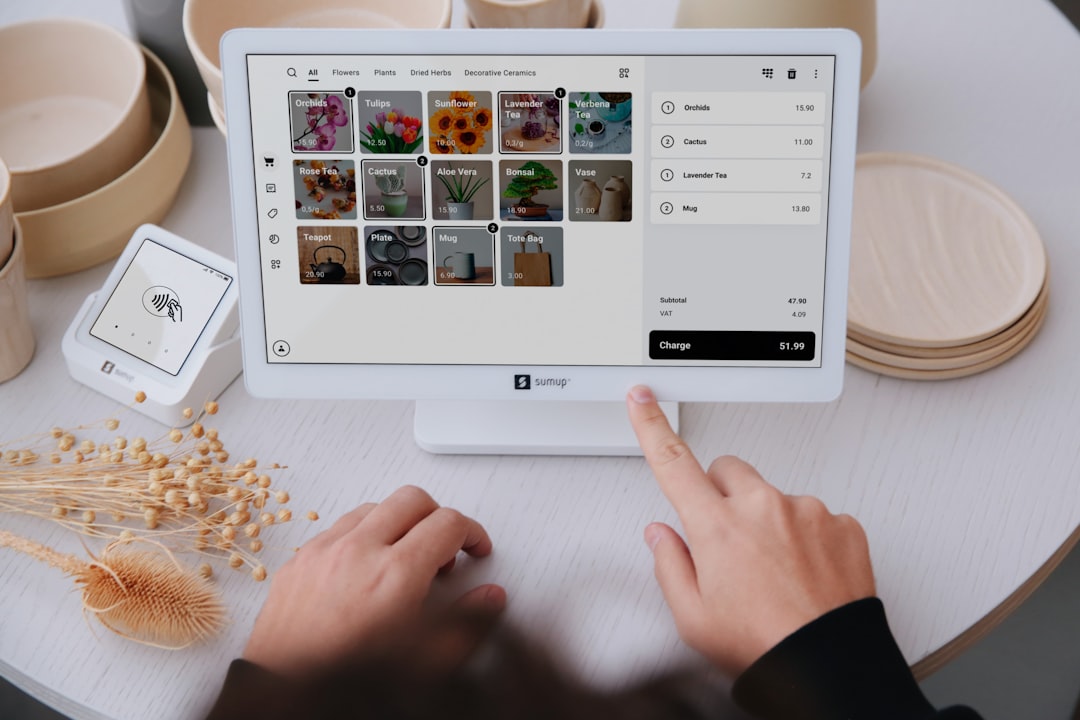
A POS (Point of Sale) is the front-of-store system used to process sales of goods and services. It typically combines hardware (the POS terminal, receipt printer, barcode scanner) with software that records sales, calculates prices, issues receipts and stores transaction data. A POS is far more than a cash register — it lets a business sell efficiently, track stock, analyze customers, and connect to accounting or ERP.
1. How POS technology evolved
Point-of-sale began with the cash register, invented to help shops store money systematically and cut change-making errors.
The earliest registers
- Mechanical cash register — driven by levers or keys, printing carbon-paper receipts
- Electronic cash register (ECR) — powered, with a digital display and more accurate totals
Becoming a modern POS
As businesses grew, POS evolved from a calculator into a system that manages sales data and runs the whole operation.
- PC-Based POS — a computer plus dedicated software; records products, tracks sales and prints receipts automatically
- Network POS — works with a server to sync data between branches and head office
The digital, cloud era
- Cloud-Based POS — syncs to a central server in real time, no single-machine data risk
- Mobile POS (mPOS) — runs on tablets or smartphones; sell anywhere
- Self Check-out POS — customers scan and pay themselves, easing cashier load
- AI-Powered POS — uses AI to analyze customer behavior and lift sales
2. The core components of a POS system
A POS is not just a calculator or sales-entry software — it links devices and software so a business can sell, manage stock and handle financial transactions efficiently.
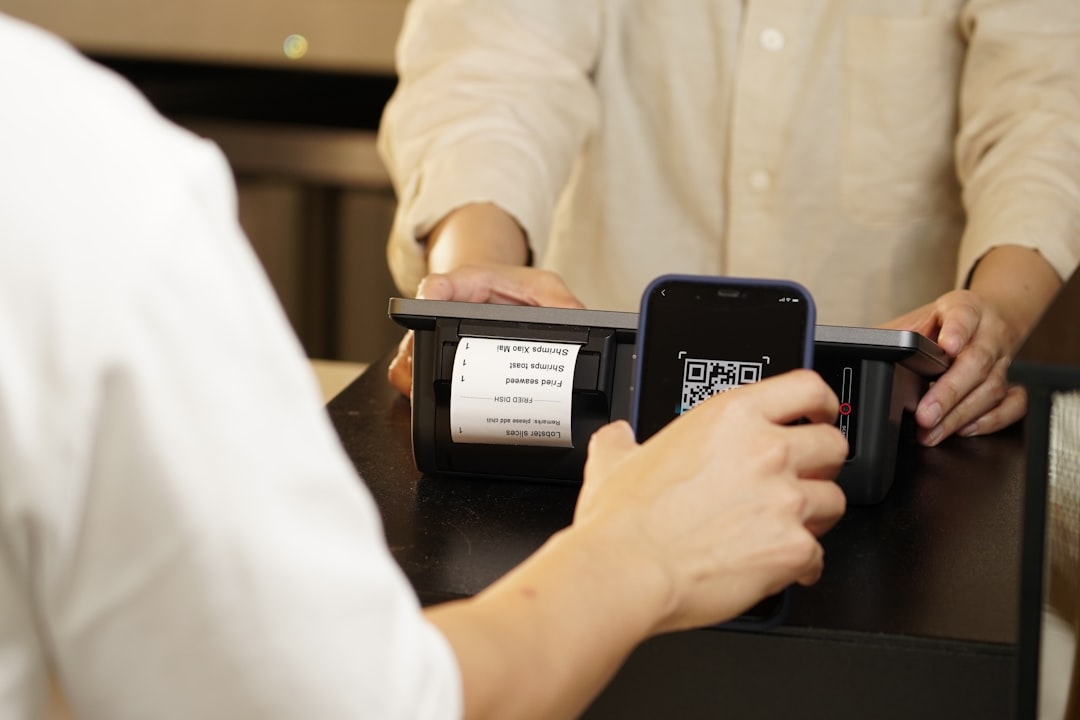
1) Hardware
- POS terminal — all-in-one touchscreen, tablet/mPOS, or self check-out kiosk
- Receipt printer — thermal (no ink) and dot-matrix for full tax invoices
- Barcode scanner — handheld and omni-directional for fast scanning
- Cash drawer — opens automatically on a transaction
- EDC payment terminal — accepts credit/debit cards, QR Code and e-wallets
2) Software
| Software module | Key function |
|---|---|
| Sales Management | Record sales, total amounts, apply tax, issue receipts, support promotions |
| Inventory Management | Real-time stock checks, low-stock alerts |
| CRM / Membership | Customer records, purchase history, points, member cards |
| Reporting & Analytics | Daily/monthly/by-product sales reports, behavior analysis |
| Integration | Connect to accounting and ERP, sync data across branches |
3) Network & connectivity
- Cloud-Based POS — data syncs to a central server in real time across many branches
- Offline POS — keeps transacting without internet and syncs automatically once reconnected
3. Why a modern business needs POS

- Faster and more accurate — auto-calculates price, tax and discounts, supports scanning and multiple payments, cutting queues
- Manages stock — real-time tracking, low-stock alerts, data synced across branches
- Multiple payment channels — cash, cards, QR Code, e-wallets
- Data-driven decisions — real-time sales, bestseller insight, precise promotions and purchasing
- Better customer experience — loyalty and points drive repeat visits; clean, professional receipts
- Lower labor cost — self check-out and mobile POS reduce human error
- Built to scale — sync HQ and branches, add new stores on the same system
4. What a POS means and its core functions
A POS processes sales of goods and services through hardware and software that manage sales data, calculate prices, issue receipts and store transactions. Its core functions are:
- Sales transactions — record sales, auto-apply tax and discounts, accept many payment types, issue printed or digital receipts/tax invoices
- Product & stock — auto-deduct stock on each sale, low-stock alerts, stock counting
- Customer & CRM — purchase history, points and member cards, behavior tracking
- Pricing & promotions — automatic pricing, time-based price changes, BOGO and quantity discounts
- Reporting & analytics — daily/monthly/by-product sales and profit, bestsellers, per-staff totals
- Integration — link to accounting and ERP, sync inventory, sales and purchasing, multi-store support
5. Modern POS vs. a traditional cash register
| Dimension | Traditional register | Modern POS |
|---|---|---|
| Capability | Totals and receipts only | Stock, customers, promotions, touchscreen UI |
| Inventory | No tracking, manual updates | Real-time, auto alerts, synced across branches |
| Payments | Cash only | Cash, cards, QR Code, e-wallets |
| Customers | None | Records, loyalty program, points |
| Reporting | By hand | Automated reports, behavior analysis |
| Scaling | Single store | Many branches, cloud access anywhere |
6. Types of POS systems

- On-Premise POS — installed in-store, works offline, very stable; best for small–mid shops
- Cloud-Based POS — runs in the cloud, real-time sync; ideal for multi-branch and franchises
- Mobile POS (mPOS) — on phones/tablets, low cost and agile; great for cafés, restaurants, van sales
- Self Check-out POS — customers scan and pay themselves, cutting queues and staff load